
Feb 19
Rescheduling window - event box shouldn't duplicate after placement
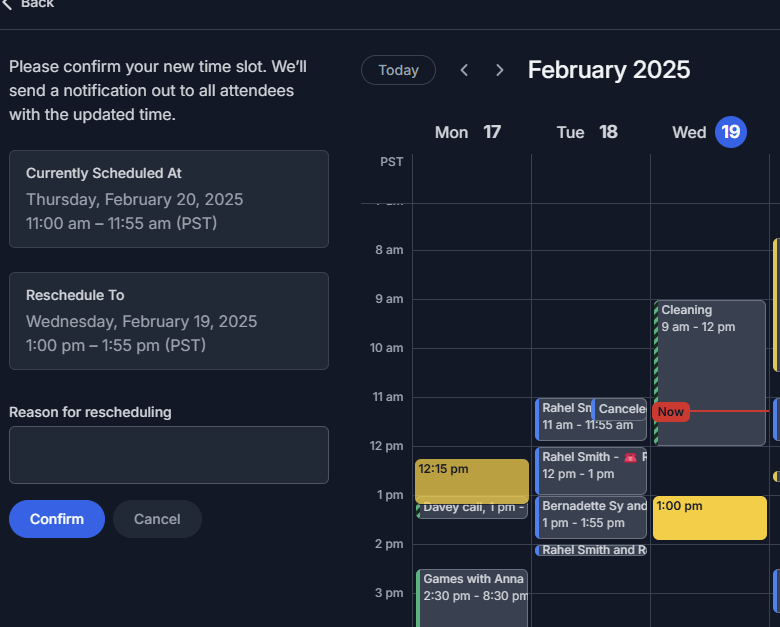
When Rescheduling and event, I placed the box for the new event on the calendar.
That worked as anticipated. But after Clicking to drop it in place, it then duplicated as I moved my mouse away from where I placed the new event in the calendar.
Weird. Here's more about it:
An extra box visually displayed where my mouse left the calendar window (dropping the duplicated box on the the left-most day visible, i.e. Monday) , even though the *intentionally* selected time shows correctly in the left side bar.
When I drag my mouse UP (instead of to the left) then the duplicated box disappears.
I'm in Chrome, up to date, on a Windows PC.
Closed
Hmm that's odd, we'll have a look. Thanks for the report Rahel Smith! Since this a bug report, I'm going to go ahead and close this thread and file it in our bug tracker.