Integrate with AI assistants (MCP)
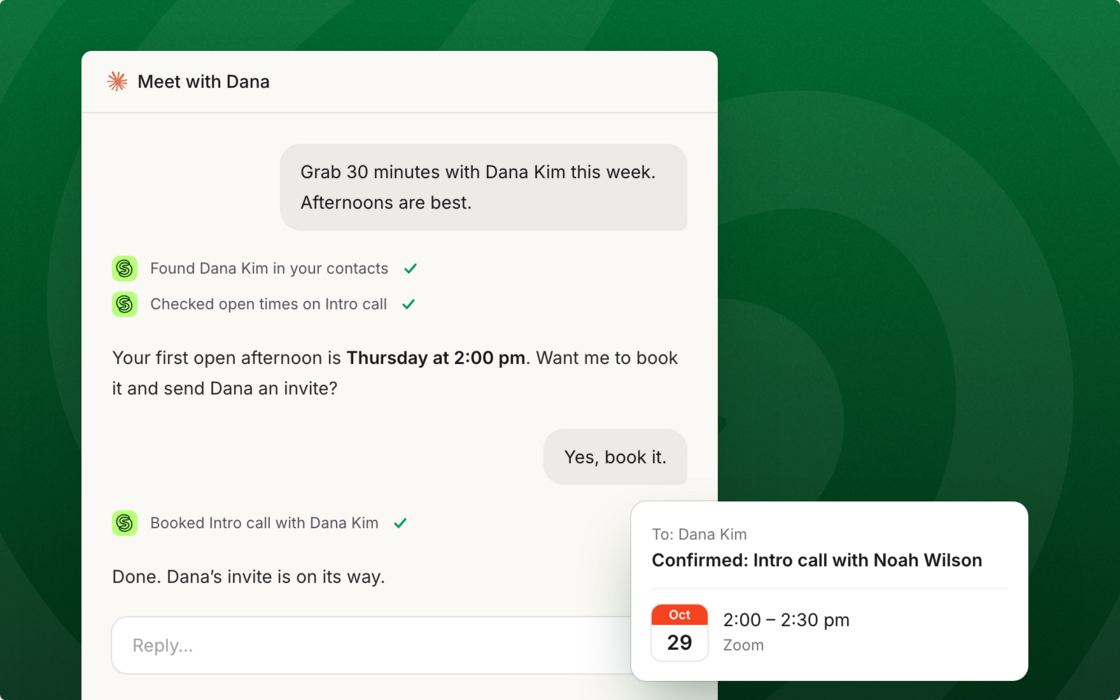
You can now connect SavvyCal to Claude, ChatGPT, or any other AI assistant that supports MCP, and manage your scheduling by just asking for what you want.
Ask your assistant to find a time with someone, book or move a meeting, block off Friday afternoon, run a meeting poll, or make a 15-minute version of your intro call.
To get started, add https://savvycal.com/mcp as a connector in your assistant, then sign in to SavvyCal and approve access. It's included on every plan at no extra cost.
Setup steps for Claude, ChatGPT, and coding agents →
Duplicate workflows
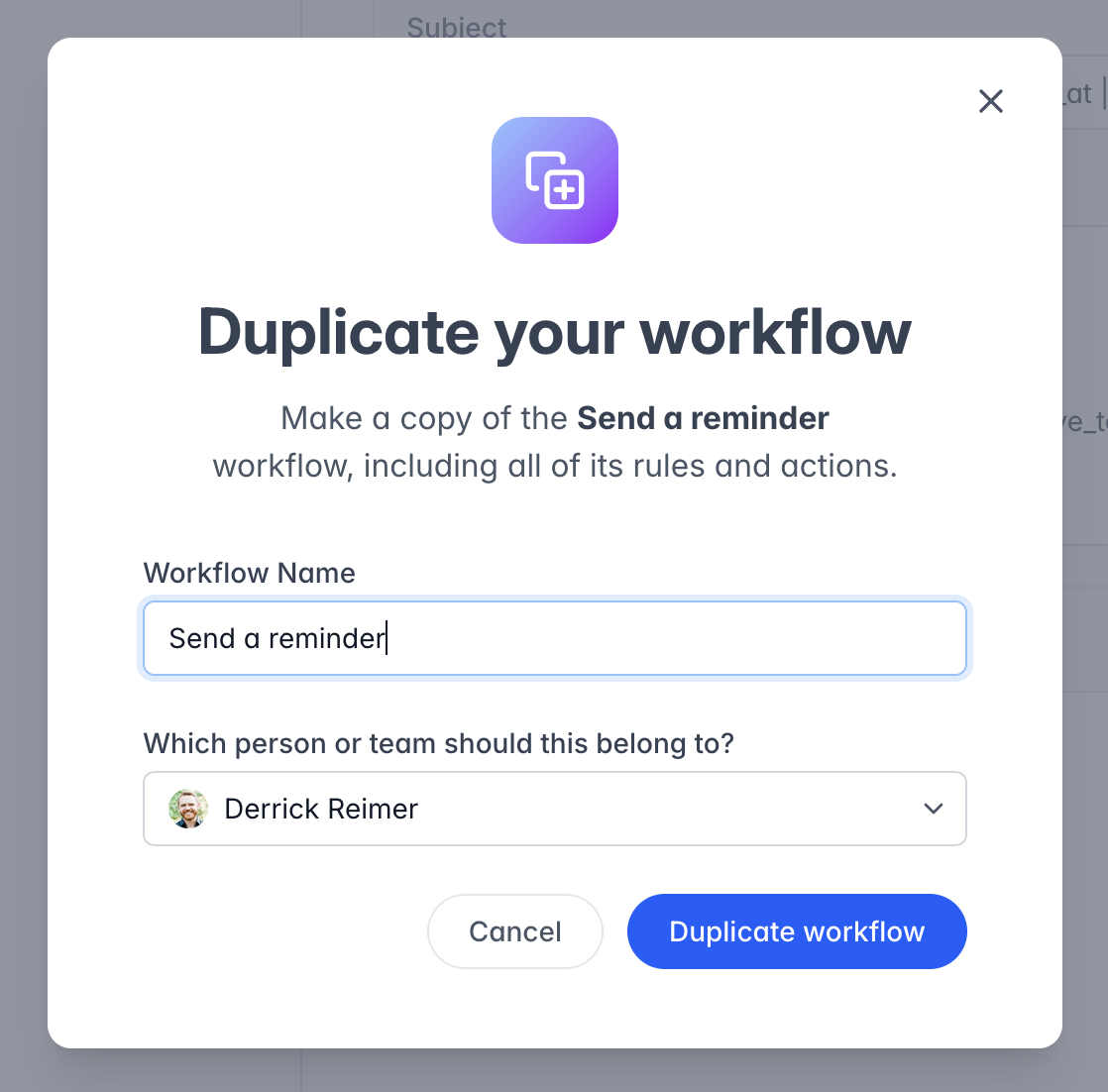
You can now duplicate any workflow, including all of its rules and actions. Give the copy a new name, assign it to a different person or team, and you're done — no rebuilding from scratch. Handy when you've got a workflow dialed in for one person and want the same setup for someone else.
Prevent last-minute changes
Tired of meetings getting moved or canceled minutes before they start? You can now lock down each scheduling link in the run-up to an event.
Open any link's Booking page options, turn on Prevent last-minute changes, and choose how far ahead the lock kicks in — anywhere from 15 minutes to a week before the event starts.
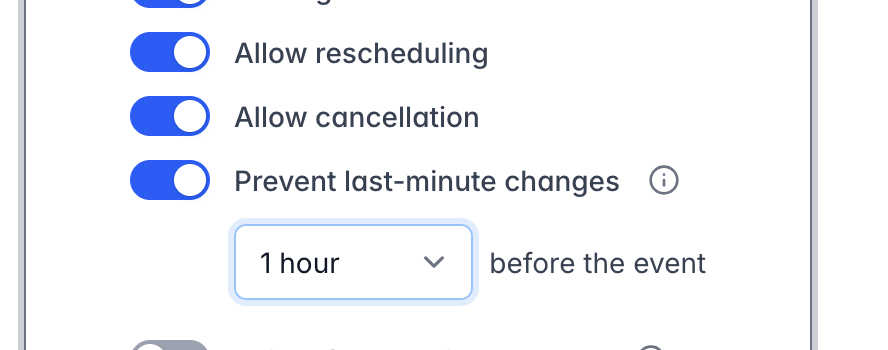
A couple of things to know:
-
The lock only applies to the person who booked. As the host, you can always reschedule or cancel, right up to start time.
-
Schedulers who hit the cutoff see a friendly note pointing them to reach out to you directly.
-
More control over event buffers
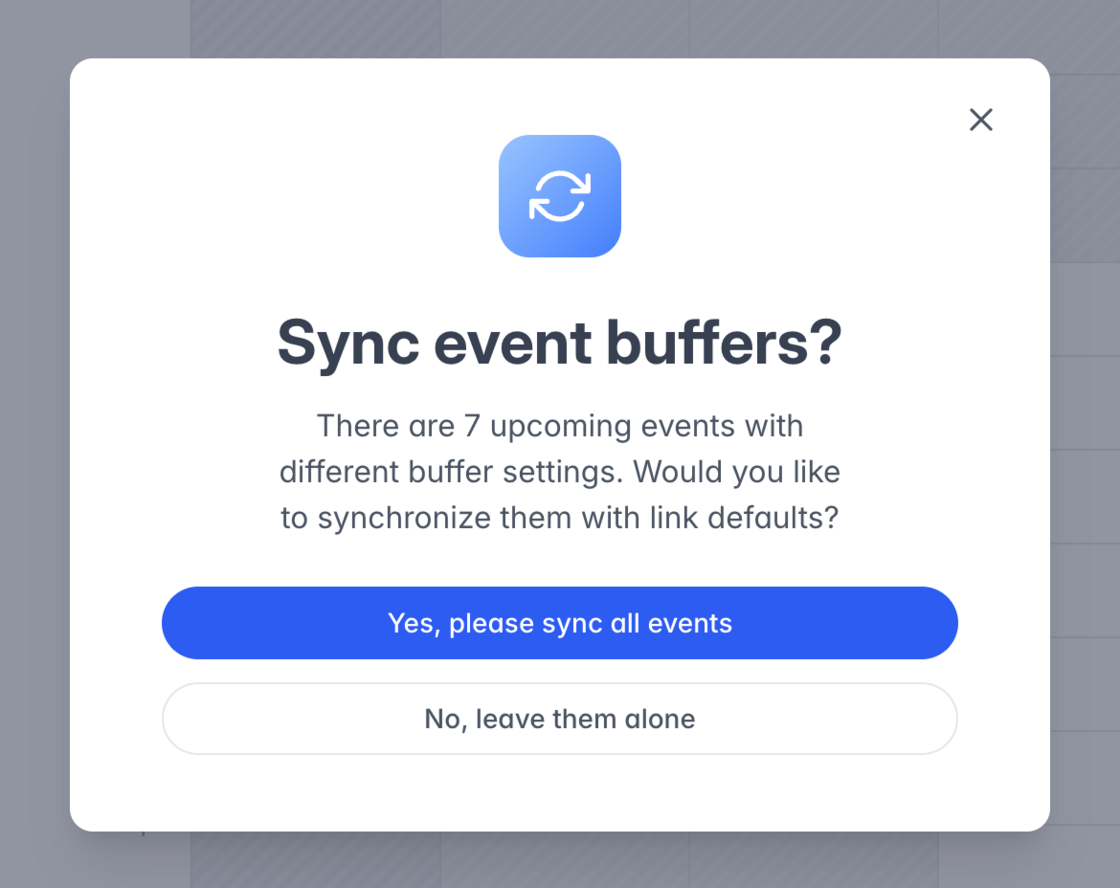
Buffer times are now visible at a glance on the event list and event detail pages, and event managers can edit buffers on individual events when a specific meeting needs a little extra padding.
We've also made it much easier to keep event buffers in sync across upcoming events, with a helpful prompt and notice when changing a link's default buffer settings.
Multi-language support for booking pages
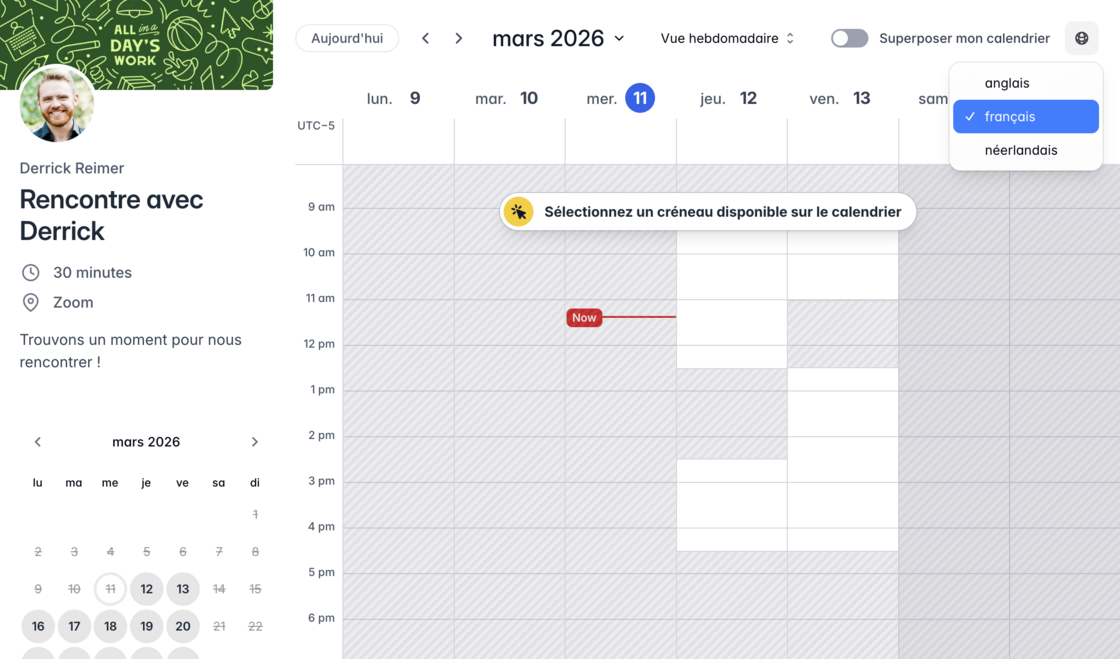
Scheduling links, event pages, and rescheduling interfaces now automatically detect your visitor's language preference and display in their language. We currently support English, French, and Dutch, with more languages coming soon.
Improvements for booking on behalf of others
We've made a few recent improvements to the flow around booking on behalf of others:
-
Need to include additional guests when booking on behalf of someone else? Just add their email addresses during the booking flow and everyone will receive a calendar invite.
-
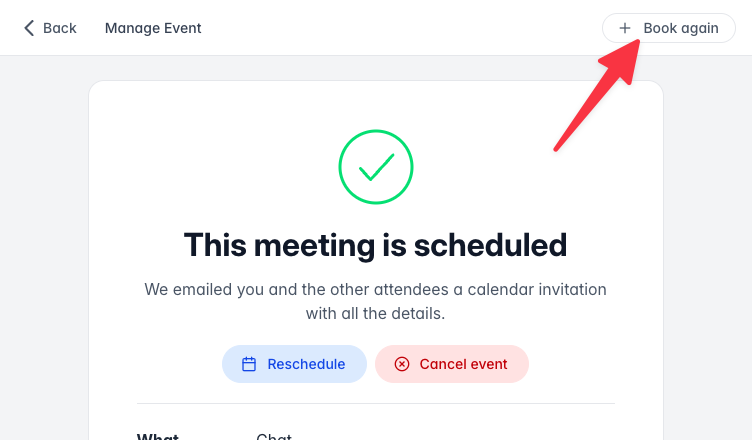
Need to schedule a follow-up? You'll find a new "Book again" button at the top of their event detail page. This makes it easy to rebook without having to hunt down the original link.
We hope these improvements help make booking on behalf of others a little easier!
-
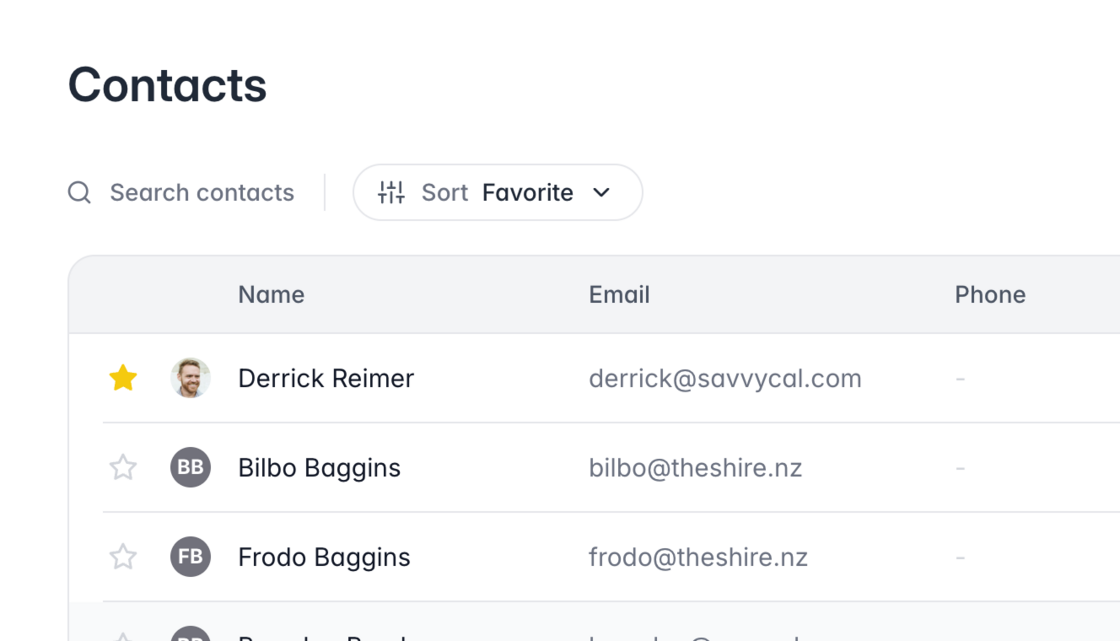
Expanded contacts 📇
Your Contacts page just got a major upgrade!
We've expanded it to now include everyone who has ever scheduled a meeting with you. When someone books a meeting, we'll automatically create a contact record for you.
You can then request to share availability or view their complete meeting history, right from their contact page.
Also, when booking a meeting on behalf of someone, you can now search and select from your existing contacts.
Optional phone number collection
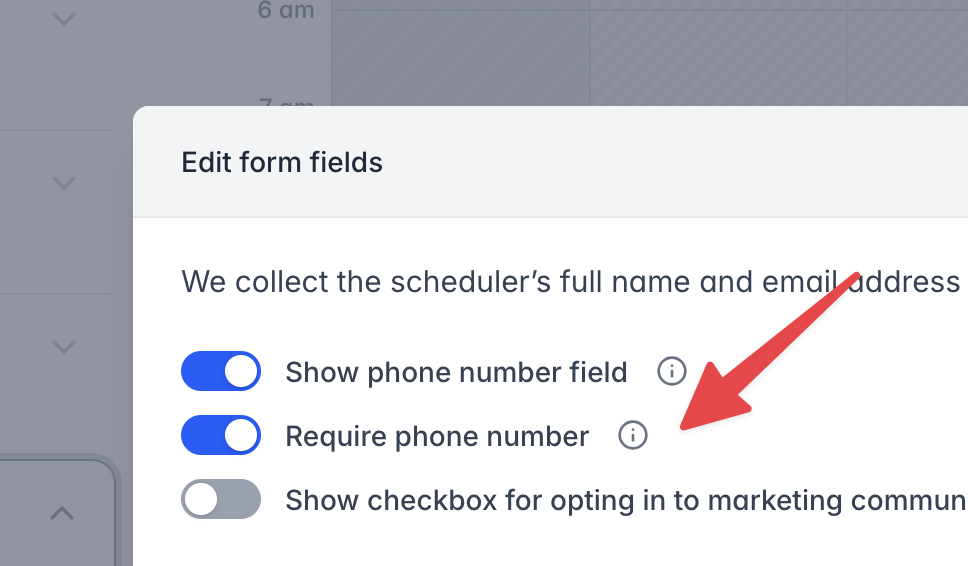
You can now show the phone number field on your booking page without making it required. When you enable "Show phone number field" in your link's Form Fields settings, you'll see a new "Require phone number" toggle that lets you control whether schedulers must provide their phone number or can leave it blank.
This is useful when you'd like to collect phone numbers for follow-up but don't want to create friction for schedulers who prefer not to share them.
Book meetings on behalf of others
There are times when you need to schedule a meeting for someone else, without sending them your public booking link.
With this new feature, you can create meetings directly through a dedicated interface designed for admins and assistants. It gives you special privileges, including the ability to choose any time slot, even those not publicly shown as available.
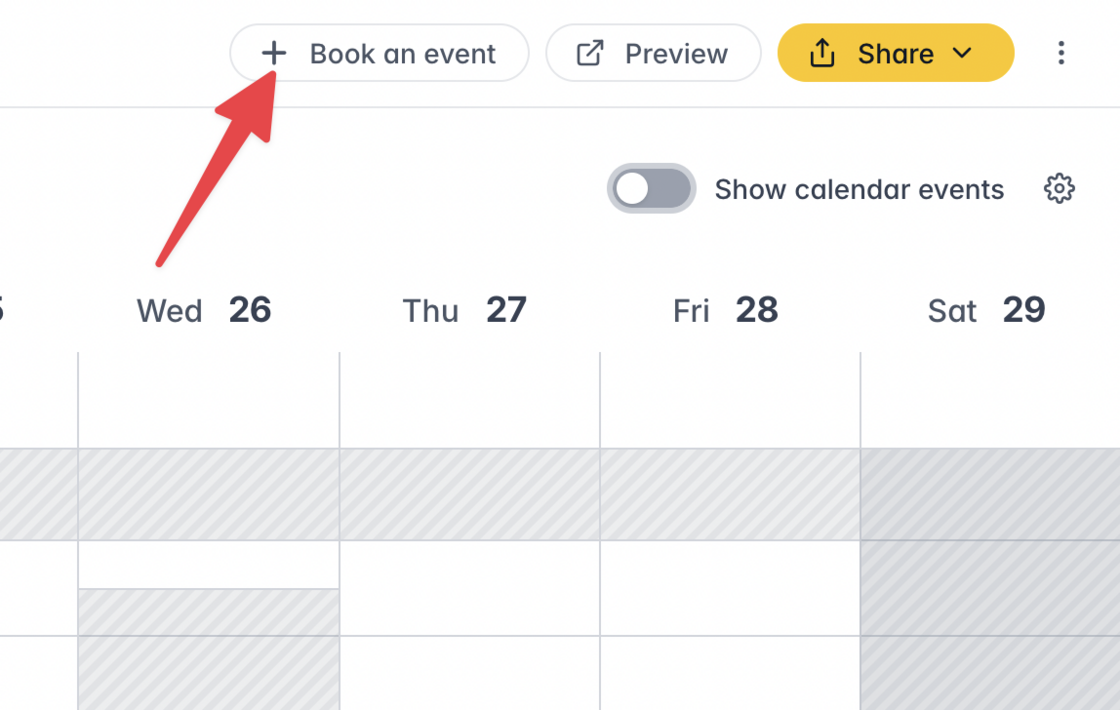
To use this mode, open any link in the editor and click “Book an event” in the top navigation.